
TIH Backup fails with "Failed to open data stream"

TIH 2011 has started failing with the above error when backing up to mapped drive on a NAS. Event code 0x000B03E9.
Zipped screenshot of log dialog attached.
| Attachment | Size |
|---|---|
| acronis_tih_error.zip | 88.65 KB |

- Log in to post comments

Harvey,
This message can appear if ATI fails to access the backup destination or access a previous backup. Try to validate your last backups to see if they are OK.
Look at the log (Help > View log) and make sure that the failing taks is effectively your backup (vs a validation, for example, or another backup).
If this is the backup task you expect that generates the error, run a chckdsk /r or -r on the backup disk.
If there is no error, let's recreate the backup task:
- from Windows explorer, copy the backup archives you want to keep to another directory for safekeeping,
- from ATI, delete (not remove) your existing backup. THis will erase the schedule, the task and all the archives (except the ones you copied out)
- recreate the task and see if it works.
- Log in to post comments
I am having the same issue. It always appears at the end of the validation. It gets to where there is 1-2 min left and then jumps to several thousand days (in the current case 30405) and then gives me the error. I've tried recreating the backup, tried it on different drives and I'm still seeing the same thing. It appears this has been going on a while, is there a resolution that I have not seen?
I never had any issues with 2009.
- Log in to post comments
I received a note from Acronis that suggested not only deleting the backup, but completely removing TrueImage usinging their Acronis True Image 2011 Home Clean Up utility. You can find the note in the forums by searching on "Acronis True Image Home 2011 Clean Up Utility".
This was several hours of work that should not have been needed, but it did work. I have not had any problems in the four weeks since the clean-up and reinstall.
- Log in to post comments

I have no idea whether this will help but it is something you might want to investigate.
- Log in to post comments
GroverH wrote:I have no idea whether this will help but it is something you might want to investigate.
Looking at it now, I'll let you know what happens. However it appears to be related to a backup to a network drive whcih I'm not using, I'm using a usb 3.0 drive, an ESATA drive, and an internal drive. All 3 fail with no old backup (I moved the last working one to a server for safe keeping)
- Log in to post comments
David,
You might want to consider testing your source disk for disk errors or whichever disk is being backed up.
From a command prompt
chkdsk c: /R
- Log in to post comments
Thanks, I have done that and I'm having the same issue trying it on multiple drives. I also checked out http://forum.acronis.com/forum/13888#comment-42345 and set the network time out diffrently. Still is not working.
Any other ideas? I'm getting worried becuase I have no valid backup and have not since I upgraded to 2011 from 2009.
- Log in to post comments
David,
Did you try to uninstall, use the cleanup utility, reboot and reinstall?
- Log in to post comments
David,
If you need a backup, can you use the 2009 or 2011 CD and create a backup via the CD?
- Log in to post comments
David,
Are you using autoconsolidation by any chance?
- Log in to post comments
"Failed to Open Data Stream", I'm having the same issue w/ATIH 2011 version. Seems to be an unresolved bug from 2010 version of error "Cannot open encrypted stream". Acronis tech thought by upgrading from 2010 to 2011 version it would resolve, but same issue ... just a slightly different name.
Error occurs at validation, but apparently only on incremental jobs, not on full backups. See attached screen shots.
I've had this error since last year, over 4 months, and have lost track of the hours I've spent trying to help debug software. When may users expect a stable product that works the way it is advertised?
Oh, and "Automatic Cleanup" does not work either. See attached screen shots.
| Attachment | Size |
|---|---|
| 63321-95248.doc | 773.5 KB |
| 63321-95251.doc | 536.5 KB |
| 63321-95254.doc | 772 KB |
- Log in to post comments

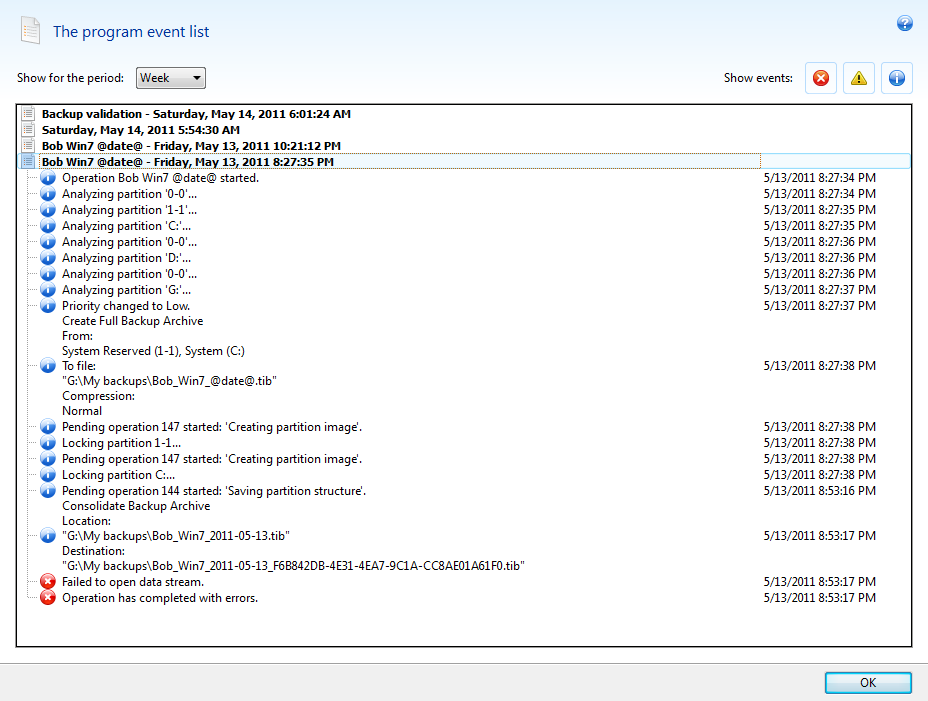
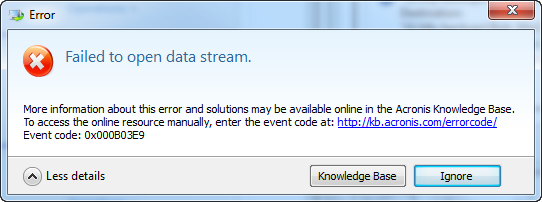
Same problem, TIH 2011 Update 1 (build 6696) backing up to a USB portable drive. The backup validates OK after completion (separate validation command). For several months now, 9 out of 10 times, I get this error. The Knowledge Base button leads to a page that says "We are sorry..." and no info.
Same drive is used with TIH 2009 to back up a different computer, and that never fails. So it is ABSOLUTELY NOT THE PORTABLE DRIVE!!! This is Windows 7/64 bit. Screen shot plus error popup (2 images) follow:
- Log in to post comments
Hey,
Did you try the recommendations in post #2? Try to set up the new task without the consolidation.
- Log in to post comments
@Pat L - Looking at post #2, which starts with
This message can appear if ATI fails to access the backup destination or access a previous backup. Try to validate your last backups to see if they are OK.
I don't see anything about consolidation. What is that? Anyway, my backups verify OK, and I have deleted and re-created the backup job, no change.
I should mention that this system has VMWare Workstation on it. I am not trying to run TIH within a VMWare VM, this is on the actual physical OS. However, the USB ports on a system which has VMWare installed may differ in how they are routed, as there is a layer of drivers that allow a USB device to appear within a VM if that happens to be active when the device is inserted into the USB. When doing TIH backups, I am not running any VMWare VMs, so there is 0% possibility that the USB drive is getting taken over by same.
- Log in to post comments