
Enter your Windows credentials - can't login
Before comencing a backup, 2012 asks for windows account credentials. True Image then claims 'The specified account name or password is incorrect'. This happens for all user accounts tried and yes the user account and password are correct!!
Frustrated from the off
Dave

- Anmelden, um Kommentare verfassen zu können
Ok That was my stupid fault.
I have to congratulate acronis here. I have upgraded my system to an Intel motherboard from an AMD. I backed up both my system partitions, program and user data and did a Universal Restore on to the new system. Worked a treat no reinstallation of programs etc.
Brilliant worth this price for this alone.
Thanks Acronis
- Anmelden, um Kommentare verfassen zu können
How do I get around this in ATIH-2012? I have not changed hardware and all my account names and passwords ARE correct when I type them in.
Thank you for any help you can provide.
Chuck
P.S: You know, it would have been nice if the original poster had posted the solution to this!
- Anmelden, um Kommentare verfassen zu können

Hello David and Chuck,
Thank you for your posts.
It is possible Acronis True Image 2012 Home was installed under a different account.
Could you please get back to me with the system report and a screenshot of the Windows credentials prompt that you are getting?
Please let me know if you have additional questions.
Thank you.
- Anmelden, um Kommentare verfassen zu können
I have only one account on my system. The credentials of this account are not accepted bij Acronis, no matter what I try. Really really annoying. I've paid $95 and I can't make a backup. :X
- Anmelden, um Kommentare verfassen zu können
Sorry for the kick. I have been trying for three days now and each time I want to backup my C: drive I get the "Enter your Windows credentials" screen. I only have one account on my PC and the account name and password are not accepted. What to do now?
- Anmelden, um Kommentare verfassen zu können

Frederik,
Can you post a screenshot of the "enter your windows credentials"?
- Anmelden, um Kommentare verfassen zu können
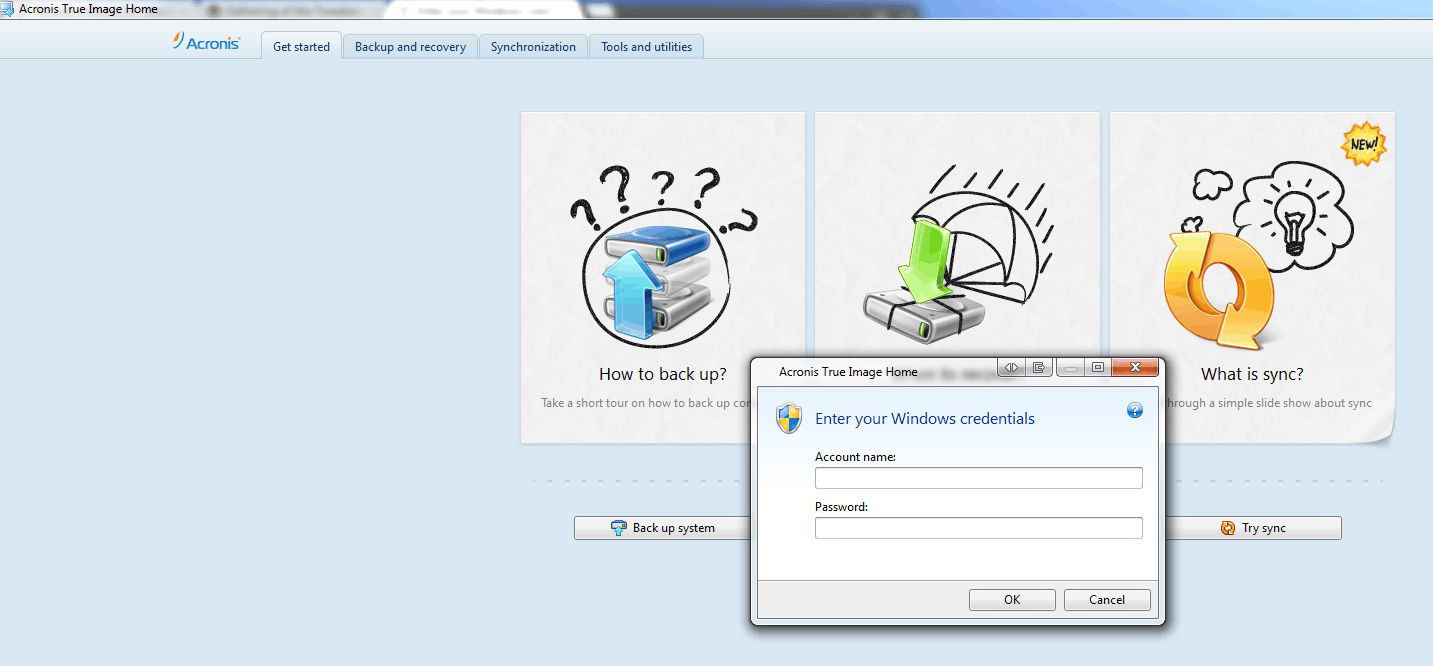
Frederik,
Is the account you used to install ATI an administrator account?
Which version of Windows do you have?
- Anmelden, um Kommentare verfassen zu können
Yes, it's the admin account. I've tried starting ATI as 'adminstrator'. Didn't help. I use Windows 7 Ultimate x64.
- Anmelden, um Kommentare verfassen zu können
Frederick,
Is the window popping up when you click on back up my computer?
Are you using Outlook Exchange on that computer?
If yes, try to go to the backup and recovery tab, and create the backup from there. What you need first is a disk and partition backup of your entire system disk. Then you can complement this with other backups if something is not covered by this backup.
Check out these links: http://forum.acronis.com/forum/33889
- Anmelden, um Kommentare verfassen zu können
No, it pops up when I want to do a whole disk. I use Outlook 2010 but no exchange. Just POP3 & IMAP accounts. It even pops up when I want to backup a partition not used by Outlook.
Also creating backups from the tab give the same problem : pop up and non acceptance of credentials. :(
- Anmelden, um Kommentare verfassen zu können
I am trying to guess what kind of resource ATI is trying to access that could trigger the need for credentials. Maybe there is a mapped drive on your computer to some network resource and ATI is trying to set this up as the backup destination?
- Anmelden, um Kommentare verfassen zu können
Yes, it is a mapped drive on my Synolgy. I've tried the Synology login but : still not accepted. :(
- Anmelden, um Kommentare verfassen zu können
What if you remove the mapped drive?
- Anmelden, um Kommentare verfassen zu können
The mapped drive is where the backup is supposed to go. :P Is there an alternative for backing up to my Synology NAS?
- Anmelden, um Kommentare verfassen zu können
Yes. Instead of mapping the drive, use the ATI destination browsing window to get to your share. ATI will ask you for your credentials.
http://kb.acronis.com/content/23567
- Anmelden, um Kommentare verfassen zu können
I've tried this method. Connections to NAS is established. I login to the NAS, I can access the folders but when I want to start the backup it's still asking for :"Enter your Windows credentials". It really drives me mad. :X
- Anmelden, um Kommentare verfassen zu können
It still does not work. Only 1 account on my system and no matter what I try, the credentials are NOT accepted. I'm starting to consider the no-good money back guarantee/ I cannot backup to my NAS, I cannot backup to a USB disk nor a local disk. Very frustrating!
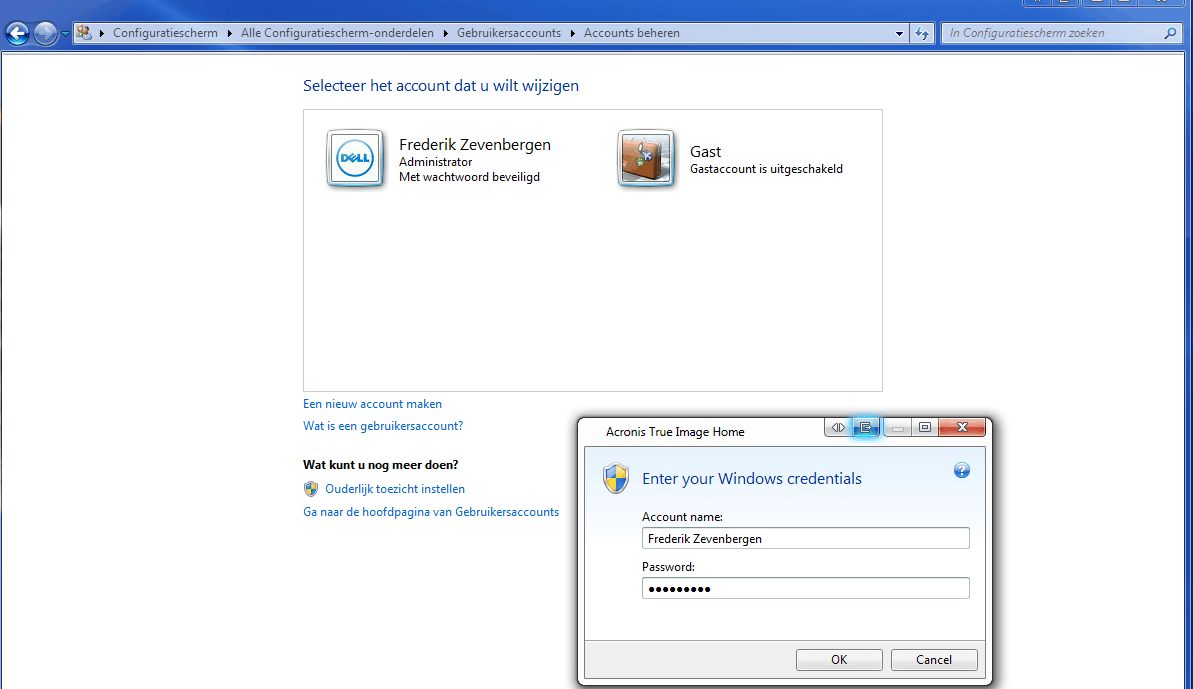
- Anmelden, um Kommentare verfassen zu können
Exactly THE SAME CASE, after changing SMB for FTP connection to the NAS!
1/Configuring the new setup (FTP), every thing seem OK (incremental/ftp connection (bad GUI)/email report gmail IMAP...etc and verifying that we don't check the option like "connect from other account log/password"
2/last part = this bad popping up when we click on back up my computer
(we don't change nothing: account, hardware, we just deleted every chain of backup and set up a new one by FTP)
We have just one (admin) account user, the windows login don't work.
Help notice said:
"Windows account
When you create a backup, you can specify a Windows account under which this backup should be performed. This may be useful if your computer is used not only by you, but also by your relatives. In such a case each user often has personal documents, e-mail accounts, settings, and other personal data. By default Acronis True Image Home 2012 backs up data of the current user. We recommend that you change this setting if the Windows account under which you are currently working is not yours. The program will back up only the data related to the specified account. Data of all other accounts will not be backed up.
To change the current Windows account:
Select the Run backup as different Windows account check box.
Type the account name and password in the appropriate fields."
config:
7x64 ultimate
dualboot
2xOS on 2 diferents disks
The configuration backup is just for the disk where ATI Home 2012 is installed.
Please we urgently need a solution.... it is a production machine!
- Anmelden, um Kommentare verfassen zu können
I've called technical support and they advised me to disable UAC.
- Anmelden, um Kommentare verfassen zu können
I intent and post the result.... Don't like this... Thank you for your help!
- Anmelden, um Kommentare verfassen zu können
CORRECT !! i shutdown UAC...and no more pop up !! . Really thank you Frederik Zevenbergen
Regards,
= ticket for the next update ;-(
I don't have the time to test what happend with UAC "ON" now.... backup is on the road...
- Anmelden, um Kommentare verfassen zu können
Unfortunately, I have the same problem, but my UAC is disabled already.
Any suggestions?
P
- Anmelden, um Kommentare verfassen zu können
Same problem - ATI 2012, up to date. UAC enabled or disabled, no difference. Occurs when creating a backup job, after configuring backup and hitting either "Back up now" or "Back up later"
Steps to error:
Open Acronis, no backup jobs exist
Clicked "Backup and Recovery" tab, creating backup
Backing up over the network, specify network credentials (all good here still), specify schedule (on windows shutdown)
Hit "Back up later", wait, window pops up asking for Windows Credentials.
There are two accounts on this computer, both administrator accounts. Same error on both accounts. Have attempted to uninstall, reboot, run removal tool, reboot, reinstall, reboot, configure job - no difference.
Machine is Windows 7 32 bit, all updates installed and applied.
This machine is in a production environment, along with 5 others. The same problem occurred on one other machine in house, which was resolved by uninstalling and reinstalling ATI.
10 days out from chat/telephone free support :(
- Anmelden, um Kommentare verfassen zu können
This is all so stupid. Just upgraded to 2014 - win 7 Ultimate 64bit. Never did get backup to run under 2013 at all because of this U$%^*&%$
Windows Credentials crap. Still can't run a backup. How the 773h does one run a backup?. I don't use a windows password. What is it looking for? I have used DIsk DIrector for years and used to like Acronis stuff but this crap is making me change my mind very rapidly. WHAT DO I HAVE TO DO TO RUN A BACKUP????????
I'm trying to back up several partitions to an external drive. Access to the drive has been tested and connects. JUst can't get passed this credential stuff
- Anmelden, um Kommentare verfassen zu können
If anyone else has issues with this, I ended up fixing it by entering the credentials to the server I backed it up to. I.e my server is running debian and has a Samba share for windows users, acronis asked me to reinput the credentials for login before it backed up. Weird since it asks for "windows" credentials. I imagine this could happen over other means such as ftp or http too.
- Anmelden, um Kommentare verfassen zu können
Ok, I also had the popup when trying to make a backup, and here's what I THINK is going on....
In my case, I was making a backup of my laptop and storing it over the network to a machine that has a 5Tb RAID array on it that is also backed up offsite. When I asked the Acronis on my laptop to make the backup, it popped up the box noted above by Frederik Zevenbergen in two posts above.
I THOUGHT Acronis was asking about my Laptop account, when in fact I needed to enter the user name and password of the STORAGE machine. As soon as I entered the username and password of the storage machine, the box went away, and the backup proceeded.
This was my experience, yours may be different!
John
- Anmelden, um Kommentare verfassen zu können
I never got it resolved even with tech support. Now I don't even try to do a NAS backup - just local USB externals occassionally.
- Anmelden, um Kommentare verfassen zu können

Jim Davies,
In order to have network attached devices some sort of user account is necessary. Windows provides the homegroup account for the which uses Sharing to get around the credential problem so to speak. The homegroup sets up a password of its own to provide this sharing. If you use Windows search tool and type in homegroup you can get to the homegroup settings page and view the password. You should try entering the Account Name as homegroup and the password for the homegroup into the credential box.
- Anmelden, um Kommentare verfassen zu können
I had the same problem and tracked it down to the “Windows account” in the “Disk Backup Options” dialog. My setup is a laptop that belongs to a domain but that I backup to a drive on my local network. My domain user password recently changed and I thought that the problem was that I was working disconnected from the domain. I connected to the domain and still got the looping dialog asking for my Windows credentials. I finally entered the same credentials in the Disk Backup Options dialog and it took them there and I’m able to backup to the network drive. Go figure.
- Anmelden, um Kommentare verfassen zu können
Had this problem with Acronis 2015 for a user that was on an active directory domain name. Solved it by turning off UAC. And then entered the username and password of the NAS drive. (not the windows password!) and it worked.
- Anmelden, um Kommentare verfassen zu können
Same problem with Acronis 2016 and Windows 10.
I've a NAS Western Digital.
In the field Windows accountname and password you have to use the NAS password and username !
Strange buth true :-)
- Anmelden, um Kommentare verfassen zu können